Trust Factor is the reason two players with the same rank can have completely different experiences in CS2. One gets quiet, competent lobbies. The other gets griefers and obvious cheaters every second match. This page is the wide version of what is going on, what Valve has actually said about it, and where commendations honestly fit. We have sold commendations since 2013, so we have skin in this game, and we will be clear about which parts are measured and which parts nobody outside Valve knows. Nobody can read the number itself, not even us — but you can read what your profile shows publicly, and our Steam Profile Checker does exactly that, free and without a login, before you spend anything.
What Is Trust Factor, Really?
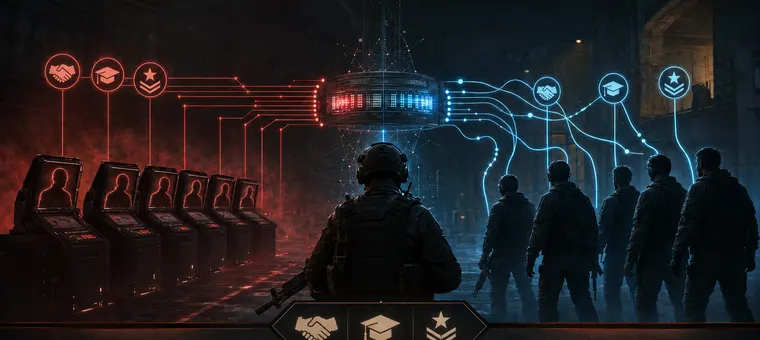
CS2 matchmaking quietly groups players by more than rank. Trust Factor weighs account history, playtime, reports and profile activity to decide who you get matched with. It is not a number you can open and read, and it is not a badge. It is a bucket, and the only thing you ever see of it is the company you keep in your own lobbies.
That is why it feels invisible until it is bad. A thin, quiet profile reads as a fresh or risky account even if you have been playing for years, because the system is not asking how long you have owned the game. It is asking what your account looks like next to everyone else queueing at that moment.
What Valve Says, and What It Does Not
Valve keeps the formula private on purpose. The official line, straight from Valve's own Trust Factor FAQ, is that matchmaking looks at your behaviour across both CS2 and Steam as a whole, and that the way to improve it is to be a positive member of the community. That is the whole of the official guidance. There is no published list of inputs, no weights, and no way to query your own score.
Which means two things worth being blunt about. First, anyone quoting you a percentage, a points value or a number of days is guessing. Second, the advice that follows on this page is inference from how the system behaves, not a leaked formula. We would rather tell you that than sell you certainty we do not have.
Can You Check Your Own Trust Factor?
No. Valve's own support page says it in one sentence: “Currently there is no way to check your Trust Factor.” Any page offering to show you the number is reading public profile fields and calling them something they are not. We wrote up what those checkers actually read, and what you can honestly check instead with our Steam Profile Checker, which reads 74 public signals and says on the page that it is not a Trust Factor reading.
The Signals That Appear to Matter
Valve names behaviour across CS2 and Steam, and in practice that seems to cover a handful of things you can see for yourself:
Account age and history. An account with years behind it and no bans reads differently from one registered last week. This is the single input you cannot rush, which is also why it is the one bot networks cannot fake.
Playtime, and whether it looks like playing. Hours matter, but the shape matters too. Steam counts a running game, not a person at the keyboard (how the counter works), so the number alone says little. A library where twenty games idle in parallel around the clock is a pattern, not a hobby, and it is the reason our own Steam Hour Boost runs one game at a time.
Reports against you. Griefing, abandoning matches and toxic voice chat all arrive at Valve as reports, and reports are the one signal we know for certain is counted, because Valve says so.
Steam activity outside the game. A profile with a level, badges, groups, reviews and comments looks like a person. An empty one looks like an asset. Steam Guard on your account belongs in this list too.
Commendations. Friendly, Good Teacher and Good Leader are the game's built-in way for teammates to mark you as positive. It would be strange if the one mechanism Valve built for exactly that purpose were not part of the picture.
Where Commendations Fit
Commendations are the one thing most players can actually move this week, which is why most of the internet writes about them and almost nothing else. They are also where the honest answer is more complicated than yes: Valve has never named them as a Trust Factor input, so the paragraph above is our reading of the system, not something Valve confirmed.
We wrote the long version separately, because it deserves its own page: does Trust Factor go up with commends walks through what changes and what does not. If you would rather earn them by playing, and that is a perfectly reasonable choice, how to get commends in CS2 covers the routes that cost nothing but time.
Why the Source Matters More Than the Number
Here is the part that most guides skip. A commend is not a point that gets added to a total. It is a signal from one account about another, and it appears to be filtered through the standing of the account that sent it.
Think about how a recommendation works anywhere else. One from someone with a real track record carries weight. A hundred from strangers with no history are noise, or worse, a warning. A commend from a ten-year-old account with thousands of hours and a clean record is a different event from a commend from a week-old empty profile, even though both look identical on your profile page.
That is also how this goes wrong. A hundred commends landing inside an hour, all from level-zero accounts created the same week, does not read as popularity. It reads as a bot farm, and it ties your profile to a network Valve already distrusts and periodically purges. Two pages go into that in detail: commend bots versus manual commends explains what the pattern actually looks like from Valve's side, and why free CS2 commends will ruin your account explains who is paying for the free ones, and with what.
If Your Trust Factor Is Already Red
Red is a different problem from thin. A thin profile needs building up. A red one needs the cause removed first, because adding positive signals on top of an active negative one is pouring water into a bucket with a hole in it. The order matters, and it is the one part of this subject where there genuinely is a sequence to follow: how to fix a red Trust Factor in CS2 lays out the three steps and, more usefully, why nobody can tell you how long it takes.
What We Actually Do
Every commend comes from a Steam account we own and run ourselves, with no VAC or trade bans. The 6+ add-on limits an order to accounts 6 to 11 years old, 8.6 years on average, most with thousands of hours of CS2 where playtime is public; without it we also use newer accounts we opened ourselves. A person approves every order before it starts and again before it is marked delivered.
Parts of that delivery are automated, and we would rather say so than pretend otherwise. A person oversees every service we automate, no cheats or third-party software have ever been part of how we work, and commendations never need your login because they are sent from our accounts rather than yours. The same is true of profile comments, which add a second kind of credibility that a copy-pasted line never will.
What we will not tell you is that any of this is invisible to Valve, or that a score changes by Thursday. Nobody outside Valve knows the first, and the second is a promise the rules do not allow anyone to make. What we will say is that we have run this since 2013 with zero bans on our own account network, and that the pace and the source are the two things actually under anyone's control.
We went deeper on the seven questions this page raises most often: whether you can check your Trust Factor and what the checkers really read, how to improve it sorted into what Valve confirmed and what guides added, what the yellow warning actually says, where a new Steam account starts, whether account age and Steam level are on the list, what queuing with a low-trust friend does, and how reports turn into ban waves, with the ban-wave chart from our own data.