Hi there!
So you would like to create some backup codes for your steam but you don’t know how to start? So Let me explain!
Backup codes can be used to login into your account. You can not use them to confirm trades . In order to create back up code list, you have to go into:
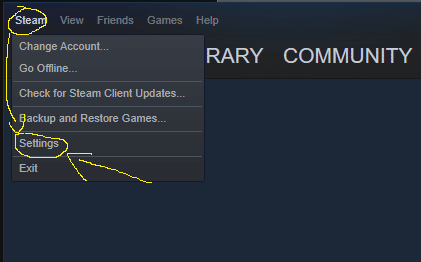
- The steam setting in a left top corner.
- From account tab into the “manage steam guard account security
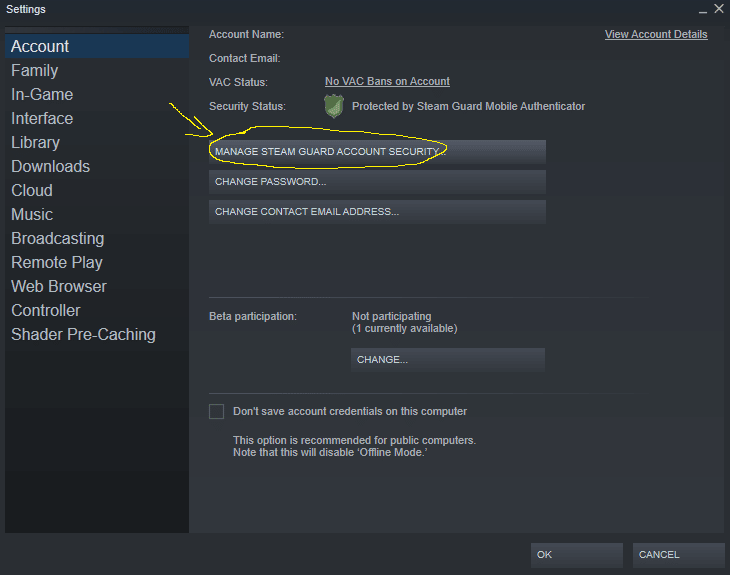
- Click “Get Backup Codes”
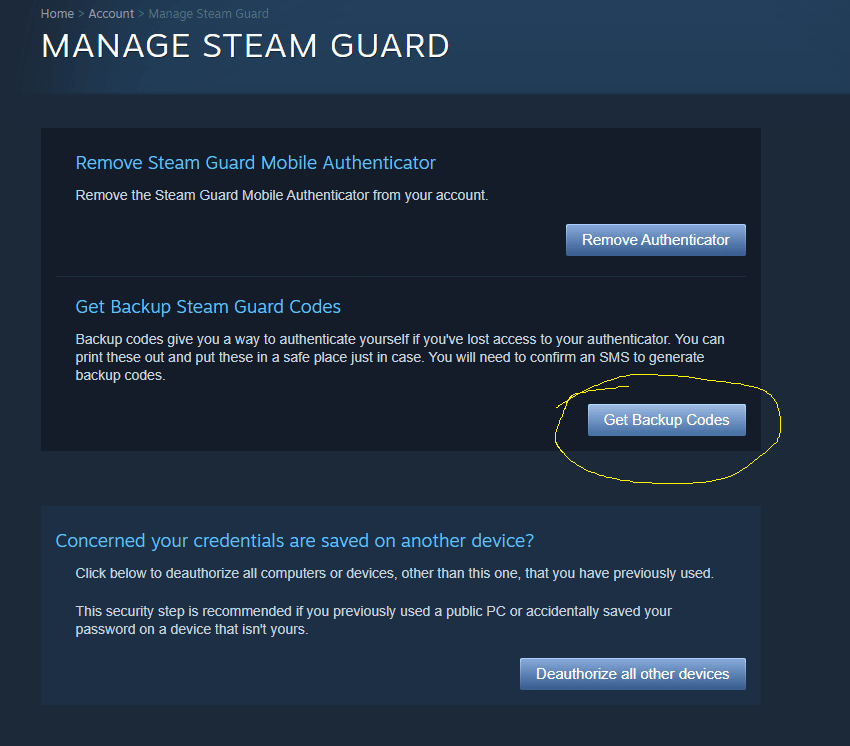
- Enter a fresh code from your phone’s authenticator
- and you will get your brand new list of backup codes.
Keep in mind that after sharing it with someone you can always delete them by repeating that prosses and create a new list which will overwrite the old one and deactivate old codes.
One thing worth adding, since this article is about giving somebody else a way into your account: most of what we do never needs one. CS2 commendations, profile comments, group members and likes are all delivered from accounts we own, so there is no code to share and no password to hand over. The only service that signs in is Hour Boost, and that one you connect yourself with a QR scan — the same way you log into Steam on a new phone.